Dear Friend,
If you are running a blog, an affiliate marketing site, or any online business today, security isn’t just an optional luxury, it is the absolute foundation of your digital survival. I remember back when switching a site to HTTPS felt like a massive technical hurdle involving expensive certificates, complicated server configurations, and days of waiting around.
Times have changed dramatically. Today, having an SSL certificate is mandatory whether you are running a small personal blog or a high-traffic e-commerce store. Google demands it, browsers flag you without it, and your visitors will instantly bounce if they see a terrifying “Not Secure” warning staring them in the face.
In this comprehensive, up-to-date guide, we are going to look at why SSL and HTTPS matter more than ever in 2026, how website security has evolved, and how you can get set up effortlessly so you can focus on what really matters: building your online business and creating great content.
If You Don’t Want To Waste Your Time On Scams And Products That Under-Delivers With Low-Quality, See My #1 Recommended Way Of Making Money Online

SSL Review & Quick Summary
-
Topic: SSL (Secure Sockets Layer), TLS (Transport Layer Security), and Website Security
-
Target Audience: Bloggers, solopreneurs, affiliate marketers, and WordPress website owners
-
Core Requirement: Moving from HTTP to HTTPS to secure user data, boost SEO rankings, and build instant visitor trust
-
Modern Standard (2026): SSL is 100% free, automated, and standard across all reputable hosting providers (especially integrated seamlessly within platforms like Wealthy Affiliate)
-
Overall Rating: Essential / Non-Negotiable for any online business
Frequently Asked Questions (FAQ)
-
What is SSL? SSL (Secure Sockets Layer) and its modern successor TLS (Transport Layer Security) establish an encrypted link between a web server and a browser, ensuring that all data passed remains private and integral.
-
Is SSL a ranking factor for Google? Yes. Google officially uses HTTPS as a positive ranking signal, meaning secure sites get a subtle SEO advantage.
-
Do I still need to pay for an SSL certificate? In most cases, no. Modern hosts (like Let’s Encrypt integration) offer free SSL certificates that auto-renew.
-
What happens if my site doesn’t have SSL? Modern browsers like Chrome and Safari will flag your site with a warning banner saying “Not Secure,” destroying your visitor conversion rates and bounce rates.
-
What is a better alternative for hosting a secure website? Building your website on an all-in-one platform where SSL is fully automated with a single click. (See my #1 recommendation below).
What Is SSL and TLS? Let’s Clear Up the Confusion
When people talk about website security, you will often hear two acronyms used interchangeably: SSL and TLS.
-
SSL (Secure Sockets Layer): The original encryption protocol developed to secure data transmitted over the internet.
-
TLS (Transport Layer Security): The modern, updated, and much more secure cryptographic protocol that actually powers HTTPS today (though everyone still calls it “SSL” out of habit).
To put it simply, whenever someone visits your website and enters information, whether it’s signing up for your email newsletter, leaving a comment, or buying an affiliate product, that data travels across the internet. Without SSL, that data is sent in plain text, meaning anyone intercepting the network packet can read usernames, passwords, or personal details. SSL encrypts that connection so that only you and the server can read it.
The Reality of Modern Web Security: Alarming Stats
The internet has grown exponentially, but cyber threats have scaled right alongside it. Understanding what is happening behind the scenes highlights why protecting your digital assets is so critical:
-
Millions of Malware Threats: Millions of websites are flagged or compromised by malware every single year. Malware (short for malicious software) is specifically designed to infiltrate, disrupt, or damage computer systems without the owner’s consent.
-
Phishing Attacks: Tens of thousands of websites face phishing threats weekly. Phishing is a deceptive tactic where bad actors trick users into handing over sensitive information, like login credentials, credit card numbers, or email addresses, by masquerading as a trusted source.
-
The Plugin Vulnerability Factor: For WordPress users, third-party plugins and themes remain the leading vectors for security vulnerabilities. Installing unvetted, outdated, or poorly coded plugins can leave your database wide open to injections. This is why keeping your software updated and choosing trusted platforms is non-negotiable.
Why You Need SSL in 2026 (Beyond Just the “Padlock”)
You might wonder why you need an SSL certificate if your site doesn’t process credit cards or sell physical products. The reasons go far beyond basic encryption:
-
Browser Trust & Warnings: If a user lands on an HTTP site, browsers like Google Chrome display a glaring “Not Secure” warning in the URL bar. Studies show that over 80% of visitors will immediately click away from a site showing security warnings.
-
Google SEO Ranking Boost: Google made HTTPS a confirmed ranking signal. While it won’t magically push a poor-quality site to page one, it gives you a crucial competitive edge over unencrypted competitors.
-
Data Integrity: SSL ensures that data cannot be modified or corrupted during transfer by malicious intermediaries (a common tactic known as “man-in-the-middle” attacks).
-
Protecting Your Reputation: As a content creator or affiliate marketer, your brand and reputation are everything. If a visitor’s browser warns them your site is unsafe, it destroys your credibility instantly.
How to Get an SSL Certificate (The Old Way vs. The Modern Way)
Years ago, securing a website was a headache. You had to purchase certificates from Certificate Authorities (CAs) like RapidSSL or StartSSL, pay annual fees ranging from $50 to hundreds of dollars, install complex certificate signing requests (CSRs), and manually renew them before they expired. If you missed a renewal date, your site broke or threw privacy errors.
Today, thanks to initiatives like Let’s Encrypt, SSL certificates are completely free and automated.
However, even with free certificates, many traditional web hosts still make you jump through technical hoops, configure DNS records, or install custom plugins just to force HTTPS.
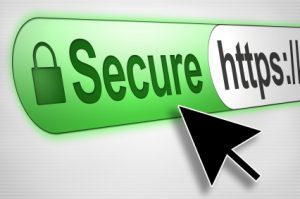
The Hassle-Free Way
When you build your website through platforms designed for creators, such as Wealthy Affiliate, getting an SSL certificate isn’t a chore. It is handled instantly with a single click.
There are no configuration files to edit, no renewal fees to worry about, and no frustrating hours troubleshooting broken padlock icons. You can read my detailed Wealthy Affiliate Review to see why it remains my #1 recommendation for building and managing secure online businesses.
Troubleshooting Common SSL & “Mixed Content” Errors
Sometimes, even after installing an SSL certificate, you might notice your browser still flags your site with a warning, or the green padlock is missing. This is usually caused by Mixed Content Errors. Here is how to fix them:
-
Check Your Plugins: Certain older or poorly coded plugins may hardcode internal links using
http://instead ofhttps://. Use a reliable SSL migration plugin (like Really Simple SSL) to automatically rewrite your URLs. -
Check Your Theme Files: Ensure your active WordPress theme isn’t pulling scripts, stylesheets, or images over insecure HTTP links.
-
Insecure External Banners and Links: Linking out to non-secure external websites or embedding images hosted on HTTP servers will trigger mixed content warnings. Always ensure your media assets use HTTPS.
-
Use Diagnostic Tools: If you are scratching your head trying to find what’s breaking your secure connection, run your URL through Why No Padlock to pinpoint the exact unencrypted asset causing the issue.
If you are interested in building your free website you can click HERE. To know more about blogging ideas click HERE.
Turn Your Passion Into Profits: Build a Secure Business the Right Way
Securing your website with SSL is just step one. If you are serious about building a real, sustainable online income, escaping the 9-to-5 grind, and setting up a digital business that stands the test of time, you need the right ecosystem, training, and tools.
That is why I always guide aspiring entrepreneurs toward Wealthy Affiliate.
Unlike complicated, disjointed hosting setups or low-paying get-rich-quick schemes, Wealthy Affiliate provides everything under one roof:
-
Hassle-Free Secure Hosting: One-click WordPress installation with built-in free SSL certificates.
-
Step-by-Step Training: Comprehensive blueprints taking you from absolute beginner to building a profitable niche website.
-
All-in-One Tools: Advanced keyword research tools, site health monitoring, and a thriving community of experienced online entrepreneurs ready to help you succeed 24/7.
Ready to build your secure website and start your online career the right way? Click Here to Test-Drive My #1 Recommended Platform for Free Today!
My Earnings
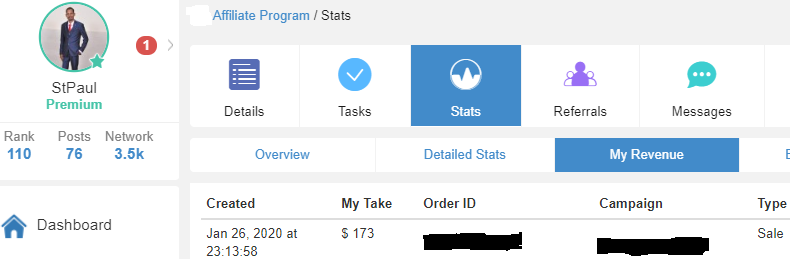
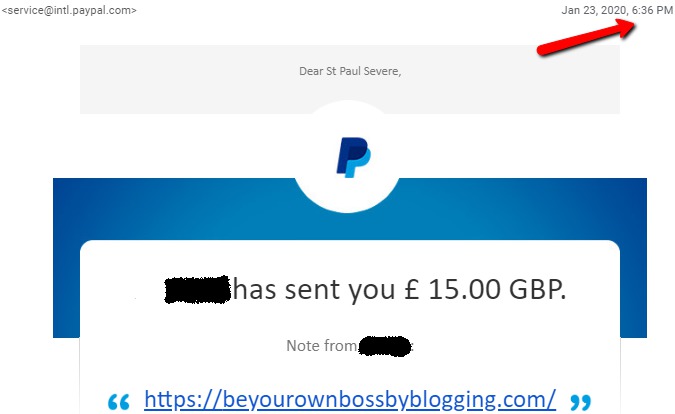
Often people ask me is it really possible to earn $100+ in a single day. The answer is YES! My Highest Per Day Earning is $175 In Affiliate Marketing. See the proofs below.
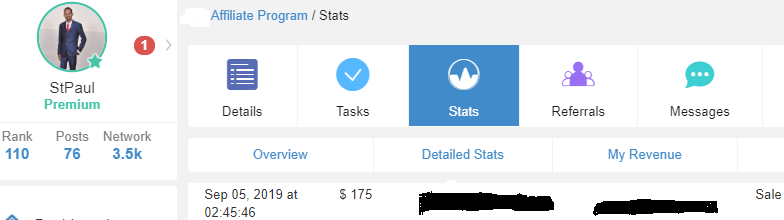
Looking for the latest one?
Back To Back Earnings Within A Few Hours…
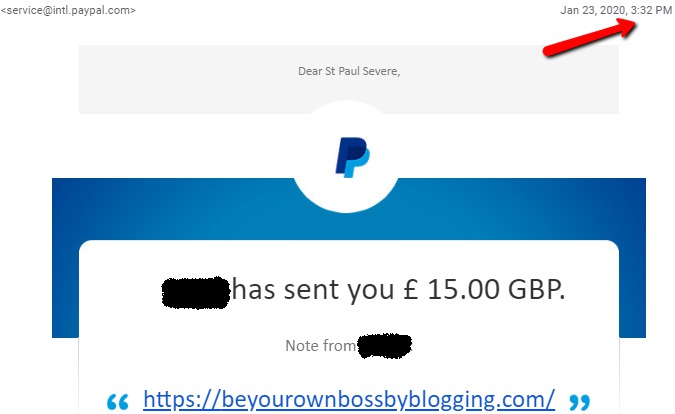
Within a few hours another payout…
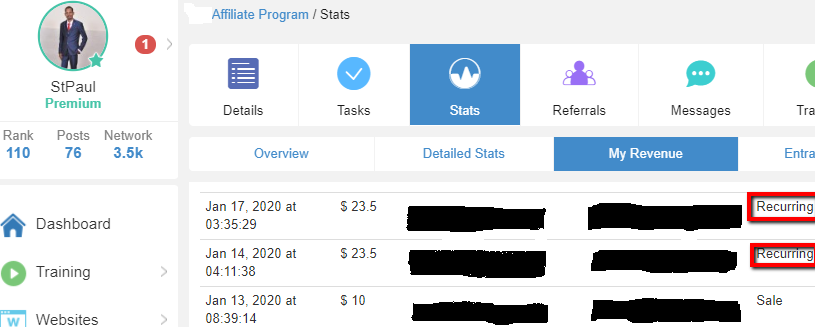
What about recurring income every month?
Ready to Turn Your Passion Into a Real Business Asset?
If you are tired of guesswork and want to build a real affiliate marketing business step-by-step, I encourage you to take a structured approach.
You don’t have to risk thousands of dollars to get started. You can test-drive a complete business-building platform without even pulling out a credit card:
-
Click Here to Test-Drive Wealthy Affiliate for Free Today (Get instant access to Level 1 Core Training, 1 Free Website Hub, and 24/7 Community Support)
Final Thoughts & Let’s Connect!
Dear friend, I hope this guide gave you absolute clarity on why SSL and HTTPS are vital for your website’s success, trust, and search engine visibility. Online business is built on relationships, and relationships are built on trust. As the legendary Zig Ziglar famously said:
“If people like you, they’ll listen to you, but if they trust you, they’ll do business with you.”
Securing your website with HTTPS is the very first trust signal you hand to every visitor who walks through your digital front door.
Have you ever struggled with setting up an SSL certificate on WordPress, or did you run into annoying mixed content errors? Drop a comment below and share your experience. I read and reply to every single message personally!
To your online success,
Paul
I really enjoy knowing that my website is secure by having SSL and “https”, letting others know my site is safe as well. I also appreciate that Wealthy Affiliate offers this free of charge.
Great article, Paul.
Dear Sue,
Yes SSL ads trust and Wealthy Affiliate keep on providing and adding great value to their membership.
Paul